






BBC micro:bit V2 for your classroom.
Single boards, Go Packs, and 10-board Club Packs. Pay by card or request a quote for your purchase order.
Shop micro:bits

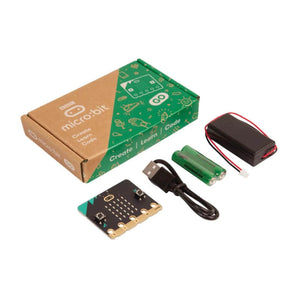 micro:bit Go Pack $21.99 USD /

 micro:bit Club Pack $199.99 USD /

 micro:bit Single Board $19.99 USD /

 CHARGE Rechargeable Battery Pack for micro:bit From $7.99 USD /


 micro:bit Battery Box $1.90 USD /


Easy. Effective. Engaging.
What is the micro:bit?
The BBC micro:bit is a pocket-sized computer designed to make coding and programming accessible and fun for everyone, especially children.
- Gather data for mathematics and science
- Make learning playful
- Bring digital coding to life
- Interact with dozens of input/output features
- Build on learning with hundreds of accessories
micro:bit Features


Professional Development
micro:bit Training Resources
If you're new to micro:bit or coding with Makecode, the Forward Education Educator Courses can help guide you through getting started with micro:bit.
MicroChat for micro:bit
Think first. Code second.
Students describe what they want their micro:bit to do in plain language. MicroChat writes the code, and students read it, predict what it will do, and explain it before they run it.
- Runs in a browser on a laptop or Chromebook
- Test on the simulator, or download it to a micro:bit
- $50 a year for up to 30 students
Every feature is included in the trial. Learn more about MicroChat
micro:bit Compatible Products
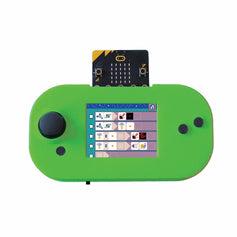
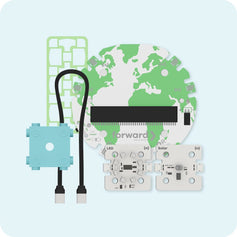
micro:bit acts as the 'brain' in many coding & robotics products and projects. Check out some of the many micro:bit compatible accessories.


micro:bit FAQs
Missing something? Please contact our team with any additional questions or inquiries.
What is a micro:bit?
The BBC micro:bit is a pocket-sized, programmable computer designed to teach students about coding, electronics, and digital creativity. It’s ideal for use in classrooms and at home.
What can I do with a micro:bit?
You can build games, create digital sensors, make music, control motors, and even develop wearable tech. It's perfect for hands-on STEAM and robotics projects.
What is the difference between micro:bit V1 and V2?
The micro:bit V2 includes additional features like a built-in speaker, microphone, and improved processor. It’s more powerful and offers a wider range of project possibilities.
Do I need any accessories to use the micro:bit?
The micro:bit requires a USB cable and power source to get started.
If you're interested in using a rechargeable power source for your micro:bit, check out the CHARGE for micro:bit.
Many projects also use expansion boards, sensors, motors, or all-in-one kits to extend functionality.
Is the micro:bit suitable for classroom use?
Absolutely. The micro:bit is widely used in schools around the world to teach coding, robotics, and engineering. Forward Education offers micro:bit classroom kits and curriculum resources designed specifically for teachers.
Can I use the micro:bit with other coding platforms?
Yes! The micro:bit supports Microsoft MakeCode, Python, and JavaScript. You can code online and easily download programs to your device.


