


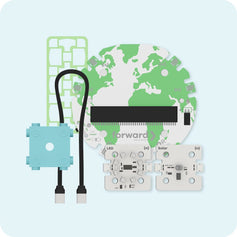


Recommended Kit Vendor for OpenSciEd Middle School + Computer Science
Five OpenSciEd units. Five classroom kits. Coding, sensors, and data built right into the science storyline.
OpenSciEd rebuilt five middle school units so students code micro:bits in MakeCode blocks to collect and analyze their own data. Forward Education designed and builds the sensor kit for every one of them, so each classroom gets exactly what the lessons call for.
What Is OpenSciEd?
A free science curriculum built for NGSS
OpenSciEd is a free, open K-12 science curriculum designed for the Next Generation Science Standards. Every unit is built around a real phenomenon that students work to figure out over about 6 to 7 weeks. It holds all-green ratings from EdReports and became an independent nonprofit in 2025.
Only 45% of US middle schoolers have access to a computer science course. So in February 2026, with support from Amazon Future Engineer, OpenSciEd launched five middle school units that bring computer science into the science class students already take.
Where Forward Education Fits
The computing side of every CS unit
Your OpenSciEd partner supplies the science materials. We supply the micro:bits, sensors, cables, and power each CS lesson needs, packed one kit per classroom.
Named in the materials lists
OpenSciEd lists Forward Education as the recommended vendor for the CS unit kits.
Built for these lessons
We designed and manufacture every kit, and have built thousands for OpenSciEd classrooms.
Same kit, any version
Using the free OER version or a Certified Version from a publisher? The kit is the same.
The Kits
One kit per unit, one classroom per kit
Each kit matches one OpenSciEd CS unit and serves one classroom. Pick a unit to see what students build and code.

Grade 6 · Unit 6.3
Weather, Climate & Water Cycling
“Why does a lot of hail, rain, or snow fall at some times and in some places and not others?”
- Lesson 3: Sensor stations. Students rotate through stations to learn what each sensor measures: temperature, humidity, air pressure, and outdoor light.
- Lessons 4 and 5: Build a weather station. Each group puts a micro:bit on a breakout board and codes it to read, display, and log every sensor at set intervals.
- Lesson 5: One class dataset. Group readings are pooled into one dataset that shows how sunlight, air temperature, and humidity change together.
The code: Read each sensor into a named variable, show it, and log it. Often a student's first micro:bit program.
Standards: CSTA 2-CS-02, 2-DA-08, 2-AP-11
See the Unit 6.3 + CS materials on OpenSciEd
Unit cover image: OpenSciEd, CC BY 4.0

Grade 6 · Unit 6.5
Natural Hazards
“Where do natural hazards happen, and how can we use science, technology, and engineering to detect, warn, or protect people from them?”
- Lesson 3: Build a seismometer. Students turn the micro:bit's built-in accelerometer into a seismometer, pick a threshold, and code a warning that fires when readings cross it.
- Lessons 4, 5, and 7: Wave-tank stations. Powered by CHARGE packs, untethered micro:bits act as tsunameters in wave-tank models so students can test when a warning should trigger.
- Later lessons: Digital vs. analog warnings. Students compare digital and analog warning signals and refine their programs.
The code: Variables, conditionals, compound conditionals, and input ranges. The program is the model students test.
Standards: CSTA 2-AP-12, 2-DA-09 · NGSS MS-PS4-3
See the Unit 6.5 + CS materials on OpenSciEd
Unit cover image: OpenSciEd, CC BY 4.0

Grade 7 · Unit 7.6
Earth's Resources & Human Impact
“How can we design solutions to help our communities be more resilient to changes in Earth's system?”
- Lessons 2 to 4: Evaporation and temperature. Students log how warmer air changes evaporation with the temperature, humidity, and pressure sensor.
- Lessons 9 and 10: CO2 and temperature lab. A micro:bit and eCO2 sensor log CO2 and temperature in an enriched chamber against a control, so the class sees the link in its own data.
- Design project: Design for resilience. Moisture sensors and water pumps let groups build and code automated water systems for their community solutions.
The code: Timed loops, variables, and flowcharts.
Standards: CSTA 2-AP-10, 2-AP-12 · NGSS MS-ESS3-5
See the Unit 7.6 + CS materials on OpenSciEd
Unit cover image: OpenSciEd, CC BY 4.0

Grade 8 · Unit 8.1
Contact Forces
“Why does contact between objects sometimes cause damage, and how can we protect against it?”
- Lessons 9 and 11: Measure collision forces. Students connect a pressure sensor and digital load cell to a micro:bit, then read and extend block code to measure the forces in a collision.
- Lesson 12: Build a sensor system. Groups design their own sensor setup with frames and connectors, using an LCD screen to show live readings.
- Lessons 14 to 17: Design a protective case. Students build, test, and improve protective designs against criteria, using their own sensor data as evidence.
The code: Nested loops, compound conditionals, named variables, and reusing code with credit.
Standards: CSTA 2-AP-12, 2-AP-16 · NGSS MS-PS2-1
See the Unit 8.1 + CS materials on OpenSciEd
Unit cover image: OpenSciEd, CC BY 4.0

Grade 8 · Unit 8.2
Sound Waves
“How can sound make something move, and how can we produce and detect it?”
- Lesson 3: Make sound with code. Students run button- and light-activated sound programs on a micro:bit with an external speaker, then change them to make new sounds.
- Lesson 10: Sound generator. Students change frequency and volume variables to produce different sounds and connect them to the properties of waves.
- Lesson 12: Hearing protection. A frequency sweep from the micro:bit tests which materials block sound best.
The code: Button and light input events, frequency and volume variables, and modifying existing programs.
Standards: CSTA 2-AP-11, 2-CS-01 · NGSS MS-PS4-1
See the Unit 8.2 + CS materials on OpenSciEd
Unit cover image: OpenSciEd, CC BY 4.0
Power and Storage
Ready for every classroom
30-Port Charging Station (required)
Charges the CHARGE packs and breakout boards in your kit over micro-USB. Includes a USB-A multi-charger, micro-USB cables, and a lidded storage tray. One is included on every kit quote.
$75 USD MSRP · SKU FE-01-1051
Robotics Kit Storage Cart (optional)
Two columns with 32 movable shelf brackets that adjust to the kit cases, plus four lockable castors. The charging station tray drops into the top slot. Ships freight on a pallet so it arrives undamaged.
$450 USD MSRP cart only · $525 with charging station
How Ordering Works
Three questions, one quote
Kits are sold as full classroom sets, through us or through partners like Activate Learning and AquaPhoenix. Answer three questions and we’ll build your quote.
Which CS units?
Pick any of 6.3, 6.5, 7.6, 8.1, and 8.2.
How many classrooms?
One kit per classroom, per unit.
Storage carts?
Optional. A charging station comes with every kit.

Frequently Asked Questions
More questions? Contact us and a real human will write you back.
What are the OpenSciEd Middle School + Computer Science units?
They are five existing OpenSciEd middle school units (6.3, 6.5, 7.6, 8.1, and 8.2) rebuilt with coding, sensors, and data inside the science storyline. Students code micro:bits in MakeCode blocks to collect and analyze data. The units cover the same NGSS standards and take no extra class time.
Do I need OpenSciEd to use these kits?
Yes. The kits are built for the OpenSciEd CS unit lessons. It does not matter whether you use the free OER version or a Certified Version from a publisher. The kit is the same.
Do students need coding experience?
No. Students code in MakeCode blocks, and no prior experience is assumed. In Unit 6.3, the weather station is often a student's first micro:bit program.
Where do the science materials come from?
Your OpenSciEd partner or certified kit provider supplies the science consumables. Forward Education supplies the micro:bits, sensors, cables, and power for the CS lessons.
Which kit should we order first?
It depends on your scope and sequence. Some states and districts move OpenSciEd units into different grades. Share your sequence with us and we will tell you which kits each grade needs and when.
Is there anything for elementary or high school?
We are working with OpenSciEd on elementary and high school. Tell us what you need and we will keep you posted.
Bring coding into your science classrooms
Tell us your units and classroom count. We’ll send a quote that matches your scope and sequence.


