




Key Takeaways
- How to start: A teacher creates one MicroChat account at app.microchat.co. Students never create accounts.
- How sessions work: One session holds up to 30 students, who join with a code and an anonymous alias.
- What the trial includes: The 30-day free trial unlocks every paid feature, including Sessions and Tutorial Builder.
- What it costs after: A teacher plan is $50 a year for up to 30 student seats.
- Why the pilot grant matters: The MicroChat School Pilot Grant turns 30 days into 90, then extends access through June 30 after a 5-minute check-in.
Getting Started with the MicroChat Free Trial
Most teachers expect a new AI tool to take a week of setup. Student accounts, class rosters, and permission slips all come before the first lesson. MicroChat does not work that way, and the MicroChat free trial is built to prove it in one class period.
MicroChat is much easier. A teacher creates one free account at app.microchat.co, starts a session, and shares a join code with up to 30 students. The trial runs for 30 days with every paid feature turned on. Teachers who want more time can apply for the MicroChat School Pilot Grant, which extends access to 90 days and then through June 30.
This guide walks through each step.
What Is MicroChat?
MicroChat is an AI coding assistant for micro:bit that turns a student's plain-language idea into working code. A student describes what they want the micro:bit to do, such as "show a happy face when I press button A." MicroChat writes the code. Then it asks the student to read that code, predict what it will do, and explain it in their own words before running it.
That questioning follows PRIMM (Predict, Run, Investigate, Modify, Make), a research-backed method for teaching students to read code before they write it. MicroChat's tagline sums up the approach: Think first. Code second.
Many educators worry that AI tools let students skip the thinking. That concern is fair, but it describes tools that hand over an answer and stop. MicroChat hands over the code and then starts the conversation.
MicroChat runs in a browser on a laptop or Chromebook. The whole experience can run on the MakeCode simulator. Downloading the code to a real micro:bit adds the physical piece: a project students can hold, shake, and test.
How Do Teachers Create a MicroChat Account?
Only the teacher needs an account. Setup takes about two minutes, and nothing needs to be installed.
- Open MicroChat. Go to app.microchat.co, or select "Start your 30-day free trial" on the MicroChat page.
- Sign up with a school email. A school address keeps the account tied to the classroom and makes a later grant application simpler.
- Start the free trial. The 30-day trial begins as soon as the account is created. No payment details are needed.
- Send a first prompt. Type an idea into the chat, such as "make the micro:bit show a heart when I shake it." Read the code MicroChat returns, then run it in the simulator.
- Pick a language if needed. The language menu offers English, Spanish, French, German, and Portuguese across every feature.
The 38-second video "Log in and send your first prompt" in the MicroChat how-to series shows the same steps on screen.
How to Run a MicroChat Session with Up to 30 Students
A MicroChat session is a live classroom space that students join with a code instead of a login. One session holds up to 30 students at once. The teacher sees every student conversation as it happens.
- Create a session. From the teacher dashboard, start a new session and give it a name, such as "Period 3 Grade 7 Science."
- Share the join code. Project the code or post it in Google Classroom. Students open MicroChat in a browser and enter the code.
- Students join with an alias. Each student gets an anonymous alias. MicroChat never asks for a name, an email, or a login.
- Watch conversations live. The session view shows each student's prompts, the code they received, and how they explained it.
- Close or reuse the session.
The privacy design is simple on purpose. There is no student account to create, no email to collect, and no student record to protect. If a student types personal information into a chat, MicroChat removes it before anything is stored. MicroChat is COPPA and FERPA compliant, and details are posted at the MicroChat Trust Center.
Two short videos cover this step: "Set up a session with no student logins" (1:57) and "What students see when they join" (0:47).
How Does the MicroChat Free Trial Work?
The MicroChat free trial gives one teacher 30 days of full access to every paid feature. It is not a limited demo. It is the same platform a paying school uses.
During the 30 days, a teacher can:
- Run sessions with up to 30 students at a time
- Edit AI-generated code by hand in MakeCode
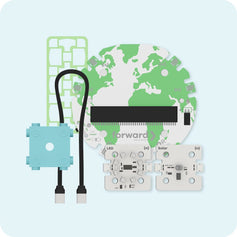
- Code the sensors and motors in a Forward Education kit, if the class has one
- Build custom lessons with Tutorial Builder
- Use free classroom activities, such as the Mood Meter lesson
After 30 days, a teacher plan costs $50 a year and covers up to 30 student seats. Schools and districts that need more seats or a custom data privacy agreement can ask for group pricing.
A month is enough to run a few lessons. It is rarely enough to see how a tool fits a full unit.
How to Extend the Trial to 90 Days with the MicroChat School Pilot Grant
The MicroChat School Pilot Grant gives a school 90 days of free MicroChat access instead of 30. After a 5-minute check-in at day 90, access extends through June 30 at no cost.
| 30-day free trial | School Pilot Grant | |
|---|---|---|
| Length | 30 days | 90 days, then through June 30 after the check-in |
| Teachers covered | 1 | Up to 3 at one school |
| Students per class | Up to 30 | Up to 30 |
| Features | Full platform | Full platform, including Tutorial Builder |
| Extras | None | Recorded onboarding webinar, lesson ideas, optional School Spotlight page |
| Cost | Free | Free |
How does the pilot work?
- Apply. Share details about the school, its students, and up to two colleagues. Applications use a school or district email and a principal's name.
- Get approved. Approvals go out within 5 business days.
- Teach for 90 days. Run MicroChat with classes. Lesson ideas arrive along the way.
- Check in. The 5-minute check-in opens at day 75.
- Keep going. Access extends through June 30 once the check-in is done.
Who is eligible?
K-12 staff anywhere in the world can apply, including classroom, CS, and technology teachers, instructional coaches, librarians, and administrators. Each school can hold one pilot. Schools with a paid MicroChat license already have access. Districts and regional trainers should look at the separate CS and AI Literacy Grant instead.
Teachers already in a free trial can still apply.
What Students Gain from a Longer Trial
Students are already using AI, at home and at school, with or without guidance. The question for schools is not whether students meet AI, but whether they learn to question it. A 30-day trial shows a teacher how MicroChat works. A full term shows students what it feels like to read code, predict what it does, explain it, and then watch it run on a device in their hands.
That habit takes more than a few lessons to build.
Start a 30-day MicroChat free trial, or apply for the MicroChat School Pilot Grant to teach with it through June 30. Questions? Email microchat@forwardedu.com.


