




Key Takeaways
- What the Classroom Climate Checker is: a one-period Hour of AI lesson where students in grades 3 to 8 use MicroChat to build a micro:bit device that reads the room temperature.
- How it works: students describe what they want, predict what the AI will build, test it, and decide to Accept, Revise, or Reject the result.
- Why it matters: students practice keeping a human in the loop with an AI tool they direct themselves.
- What teachers need: one micro:bit V2 and USB cable per pair, a browser with MicroChat, and the free teacher guide, slides, and worksheet.
- How it fits standards: it maps to the AILit Framework and the 2026 CSTA standards for testing and refining programs.
The Classroom Climate Checker is a free Hour of AI lesson plan for grades 3 to 8. In one class period, students use MicroChat to code a micro:bit that shows whether the classroom is too hot, too cold, or just right. Along the way, they predict, test, and judge every piece of code the AI writes.
Many schools treat AI literacy like a warning label. Explain the risks, set the rules, and keep the tools at a distance. That instinct is understandable, but it leaves students with nothing to practice.
This lesson provides the practice.
What Is the Hour of AI?
The Hour of AI is a global initiative that gives students a one-hour introduction to artificial intelligence. It grew out of the Hour of Code and keeps the same idea: no experience needed, for students or teachers. Activities run all year, and most classrooms take part during Computer Science Education Week, the week of December 7, 2026.
What Do Students Build in the Classroom Climate Checker?
Students build a device that uses the micro:bit’s built-in temperature sensor. It shows a happy face when the room is comfortable, a sad face when it is too hot, and a confused face when it is too cold. The class decides what those temperatures are.
That last detail drives the whole lesson. “Comfortable” means nothing to a computer until someone puts a number on it.

How Does the Lesson Work?
Students work in pairs and build the device in two rounds. Both rounds follow PRIMM: Predict, Run, Investigate, Modify, Make.
Round 1: Test the first draft
- Students write a prompt describing the device.
- Before running anything, they predict what MicroChat will build.
- They download it to the micro:bit and test it, using a cold water bottle (or anything cold) to change the temperature.
- They look at what MicroChat had to guess, then decide: Accept, Revise, or Reject.
Here is the kind of gap students find. A first prompt might read:
MicroChat does not know what the class means by comfortable, so it has to pick a number. A revised prompt leaves less to guess:
Round 2: Direct a new feature
Students tell MicroChat to add a second climate check, such as light level. They predict, run, and judge the new code the same way.
The goal is not just a working device. It is the habit of thinking critically about anything an AI produces.
Why Have Students Check the AI’s Work?
Many teachers worry that AI tools do the thinking for students. That worry is fair, but it is not a reason to skip AI in class. It is a reason to teach students how to stay in charge of it.
MicroChat is built around one idea: think first, code second. Students describe what they want in plain language, and MicroChat writes the code. Then the work shifts back to the student. They read the code, predict what it will do, and explain it in their own words before they run it.
When the result does not match their prediction, students have a real question to answer. Did the prompt leave something out, or did they read the code wrong? Either way, the student makes the call.
What Do Teachers Need?
Materials (per pair):
- micro:bit V2
- USB cable
- A laptop or Chromebook with MicroChat open in Chrome or Edge
- Student worksheet
- A cold water bottle for testing (or anything cold)
No extra sensors or kits are needed. The whole activity can run in the MakeCode simulator using its temperature slider. A physical micro:bit adds the hands-on moment of watching the face change when the room changes.
Before class: create a class session in MicroChat and print the worksheets. Students join with a class code and an alias, so no student accounts are needed. New to MicroChat? See how to create an account and run a class session.
Free Educator Resources
All resources are on the Classroom Climate Checker lesson page:
- Teacher Guide (PDF): learning goals, timing, talking points, AI literacy prompts, and look-fors for each section
- Classroom Slides: 19 slides in Google Slides or PowerPoint, including 5 AI literacy pause slides with speaker notes
- Student Worksheet (PDF): a Prompt Journey card and a Prompt Starter card, one per pair
- Intro to MicroChat and How-To Guide (PDF): a step-by-step setup guide for teachers new to MicroChat
Standards Alignment
Evaluating AI output
(AILit Framework: Engage 3, Create 1, Create 3)
Testing and refining programs
(CSTA 2026: E5-PRO-TR-08, E5-PRO-PD-04, MS-PRO-TR-19, MS-PRO-TR-20)
For the full standards, see the CSTA K-12 Computer Science Standards and the AI Literacy Framework.
Looking for an Option Without MicroChat?
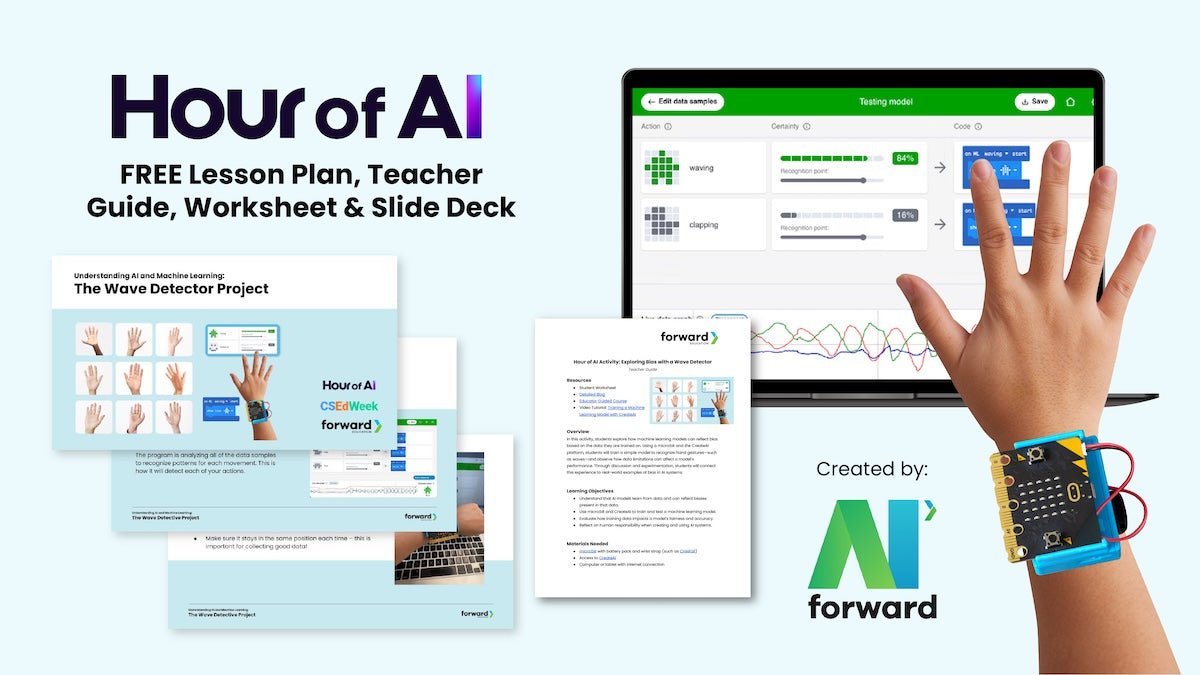
Last year’s Hour of AI lesson is still available. Students use a micro:bit and CreateAI to train a machine learning model on a waving motion, then talk about how training data shapes the result. See the CreateAI machine learning lesson.
Students will use AI tools whether schools teach them to or not. The open question is whether they learn to stop and check the output before they trust it. One class period in December is enough to start that habit, and every class period after it is a chance to keep it.
MicroChat is an AI coding assistant for micro:bit, built by Forward Education. Every feature is included in the 30-day trial, which covers CSEd Week. Start your free trial.
The Hour of AI is a global initiative by Computer Science Education Week (csedweek.org) and the Hour of AI (HourofAI.org) to introduce millions of students to computer science and computer programming.


